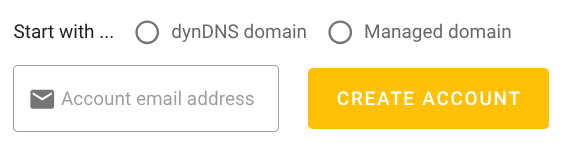
When creating a new account, there is the choice between two account types:
managed DNS account
DynDNS account
However, I couldn’t find anywhere a (comprehensive) comparison of the two options. As this information is essentially useful for the first time visitors of the site, it should be directly available from that page.
Further, it would help to know if it is possible to switch from one account type to the other or what to choose for a user who wants both to use dyndns and manage domain dns.
Internally there is only one type of account. It makes no difference, how it was created.
The only difference is that the DynDNS account offers to create a subdomain of dedyn.io during the the account setup process. But you could add that later to any account, provided you have not reached the maximum number of domains for the account.
The Managed DNS account offers to setup an existing domain (but you can skip that step and do it later).
I agree it could be made clearer what the difference between the options (i.e., no difference) is. Any suggestions? Right now I’m thinking to remove the options from the home page entirely, but adding info that either feature is available.
One difference is that when you select dynDNS and you then click the link in the confirmation email, you are directly given information for how to configure dynDNS, and handed an API token as the “update password”. This is what most such users need. (Also, such accounts don’t get a login password set by default.)
If we remove the choice, then we will need much more guidance for new dynDNS users that they will need to manually create an API token. I don’t know where that guidance should go.
The current process, albeit not perfect, has worked fine for several years and tens of thousands of domains. I’m concerned that removing the choice will make it worse.
Technically, all the info is already there (which has actually significantly reduced related support questions). For example, if you select “Managed DNS”, the text under the domain input field says “Your first domain (you can add more later). – To use with dynDNS, please see the docs.”.
Instead of giving a choice between “Managed DNS account” and “dynDNS account”, perhaps let users choose between “Managed DNS preset” and “dynDNS preset” and add “all configuration can be changed later” below that.
Renaming the options or adding lots of explanatory text would probably not help much.
Maybe a link to a page where the options are explained in more detail could help:
»Need help choosing? Click here for guidance.«
That page could explain that the choice only affects the account setup process and that depending on the intended use of the account one or the other choice would be the best starting point.
Thank you for all the explanation or for considering my suggestion. That is what I needed. The info might be “there” but not in a place you can compare both options nor a place you would access once you already have an account.
When enrolling, I personally would have welcomed a link toward an explanatory text. It shouldn’t be very complicated, basically what has been explained by @fiwswe and @peter. And as there is actually only type of account, using the preset would definitely be clearer.
My comments where made with regard to the options in the home page, i.e., desec.io. I’m under the impression that some parts of this discussion are with respect to the “create account” page deSEC – Free Secure DNS
I agree with Peter’s comments on the signup page, but still think that the home page can be improved.
Indeed, also all my comments concern the home page.
The “create account” page is an action page, not an information page. I agree that the information there is relevant and probably sufficient for its purpose; but I wouldn’t think of opening it unless I actually intend to start creating an account.
The home page (directly or through a link) could be improved to provide enough information to decide creating an account.